
The encrypted, open-source Discord alternative
Communities you can see. Conversations only you can read.
Chat, voice, threads and wikis for your community, with every message encrypted end to end. No ads, no ID checks, and your Discord server comes with you.
Works in any modern browser. Apps for Windows, macOS and Linux, and for Android on Google Play.
What Valour is
Everything your server does, and a little more.
Communities on Valour are called planets. Each one has channels, roles, voice and video, plus threads, a wiki and a calendar when you want them.
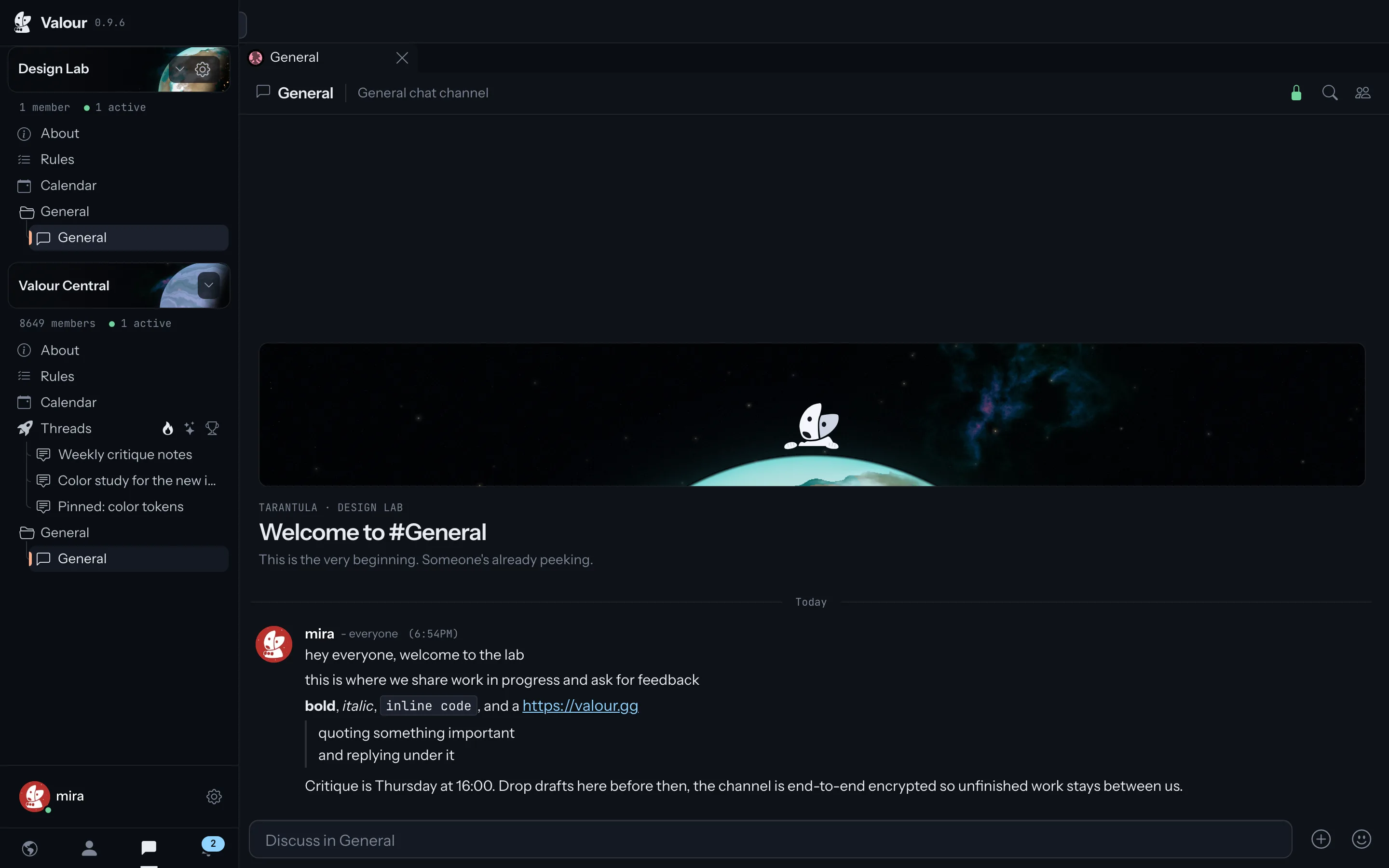
Chat
Channels, direct messages and group chats, with replies, reactions, spoilers and link previews. Keep several conversations open side by side.
Voice and video
Voice and video channels to hang out in, and calls with friends or groups of up to 25, with screen sharing.
Roles and moderation
Roles with detailed permissions, automod, bans, reports and an audit log, so moderators have what they need.
Threads
A feed of posts sorted by hot, new and top, for discussions that should not scroll away.
Wikis
Pages with revision history and search, for rules, guides and everything your community keeps explaining.
Events
A shared calendar with RSVPs and reminders, so people know when game night starts.
Bots and integrations
Bots, incoming webhooks and interactive embeds with buttons, forms and live updates.
Themes
Restyle Valour with the theme editor or your own CSS, and share your themes with others.
Moving from Discord
Bring your server over in a few minutes.
Your channels, roles and permissions come with you. Messages and members stay behind, so you start fresh with the same structure.

-
01
Sign in with Discord
Create your account with your Discord login, or with an email address. There is nothing to verify beyond your email.
-
02
Import your server
Save your Discord server as a template and paste its link into Valour. Channels, categories, roles and permissions come across.
-
03
Invite your members
Share an invite link. Members can sign in with Discord too, so joining takes a few seconds.
Beyond chat
Things your community can't do on Discord.
Found on the web
Public threads and wikis get their own pages that search engines index, so people can find your community from a search, not only from an invite.
Villages
Give your planet a small 2D world. Members walk around, talk with voice that fades with distance, and step into buildings that open channels.
Your own infrastructure
Store your planet's uploads in your own storage and run its calls on your own voice server, or run all of Valour yourself with Docker.
How it is run
Private by default, and open to inspection.
Encrypted end to end
Messages in direct chats, group chats and planet channels are encrypted on your devices before they are sent. Threads and wikis are public on purpose.
How encryption worksNo ID checks
Sign up with an email, Google or Discord. We never ask for a phone number, a government ID or a face scan.
Why we paused Texas sign-upsOpen source
The client and server are published under the AGPL. Read the code, send a fix, or run your own instance.
Source on GitHubNo ads, nothing to sell
Valour is free. Optional Stargazer subscriptions from $4.99 a month pay for the servers, not advertisers or data brokers.
Privacy PolicyDownload
Use Valour anywhere.
One account works in the browser and in the apps. An iOS app is not available yet; the web app works on iPhone and iPad.

Web
app.valour.gg
Nothing to install. Works in current versions of Chrome, Edge, Firefox and Safari.
Open ValourWindows
ValourLauncher.exe
The desktop launcher installs Valour and keeps it up to date.
Download for WindowsmacOS
Valour-macos.dmg · macOS 14+
Open the disk image and drag Valour into Applications. Runs on Apple silicon and Intel Macs, and tells you when an update is ready.
Download for MacLinux
Flatpak · x86_64 and ARM64
Install the file with flatpak install --user. The GNOME runtime comes from Flathub. The app does not update itself yet. ARM64 build
Android
Google Play · gg.valour.app
Install Valour from Google Play. To install without the store, download the signed APK.
Get it on Google PlayRelease notes and older versions are on GitHub releases.